Automation
The Proactive Automation Layer Most Fin AI Setups Skip
Banners, checklists, and tours can catch predictable questions before they ever reach Fin AI. Here is how to build that layer into a setup and what it actually changes.
Written by Nevil Paul
Published on October 9, 2026 · 6 min read
## Fin AI gets the credit, but it isn't doing all the work
Most businesses judge their Fin AI setup by one number: resolution rate. That makes sense, it's the headline metric and it's what gets reported up the chain. But resolution rate only measures what happens to conversations that actually reach Fin AI. It says nothing about the conversations that never needed to start in the first place.
That gap matters more than it looks. A pricing page changes and confuses people. A feature ships with a confusing default setting. A known bug affects one segment of users for three days. None of that is a Fin AI problem to solve after the fact. It's volume that a bit of automation, set up ahead of time, can intercept before anyone opens the messenger at all.
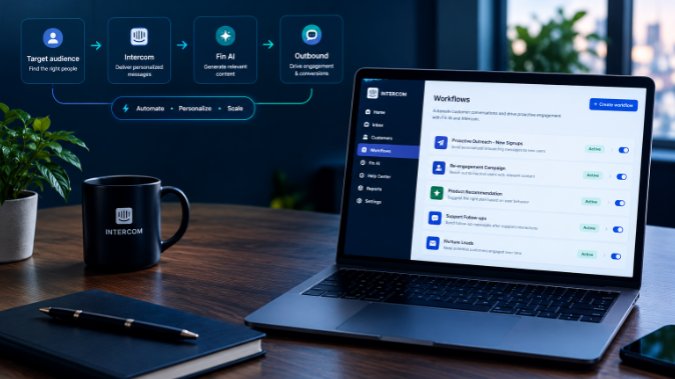
Intercom calls this layer Outbound, and it's one of the most underused tools in a typical Fin AI setup. Businesses spend weeks tuning content and custom answers, then leave an entire proactive messaging system sitting unused.
## What Outbound actually covers
Outbound isn't one feature, it's a set of message types that fire based on rules you define rather than waiting for a customer to ask something. The main ones are banners, product tours, checklists, tooltips, carousels, in-app messages, mobile push, outbound chats, and news items. You can also chain several of these into a Series, a multi-step sequence that can mix tours, bots, in-app messages, and email, built with a visual, drag-and-drop editor and testable with A/B variants.
The distinction that matters for a Fin AI setup is timing. Fin AI answers a question after someone has already decided they need help. Outbound messages show up before that decision gets made, which is why they change what Fin AI even sees.
## Banners for the predictable spikes
A banner is a notice that sits at the top or bottom of your web Messenger. You build it from the Outbound section, pick whether it's dismissible, write the copy, choose a call to action (a link, a button, an emoji reaction, an email collector, or launching a tour), and set an audience.
The audience targeting runs dynamically. If someone stops matching your rules, the banner stops showing to them, no manual cleanup required. You can also schedule it to a date range or specific hours, which is exactly what you want for something like a temporary outage or a pricing change that only matters this week.
The practical move here: when you spot a known issue, a billing hiccup, or a confusing release note landing in your Fin AI conversation logs, don't just wait for the tickets to trickle in and let Fin AI field each one individually. Target the affected segment with a banner first. A non-dismissible banner works well for anything urgent, since it stays up until the rule no longer matches or the action gets completed. One limitation worth knowing: banners show in the web Messenger by default, not in native mobile apps. Mobile needs the separate Contacts Banners API, and that version only evaluates server-side rules, so things like URL targeting won't apply there.
## Checklists for the "how do I" questions
A big share of what lands in Fin AI during the first weeks after signup is some version of "how do I get started." A checklist handles that proactively. You build a short list, up to 25 steps, each with its own title, short description, and an action: send the customer to a page, launch a product tour, open a help article, or leave it as a read-only step.
Steps can resolve two ways. The customer can mark one done manually, or it can resolve itself automatically when tracked data matches a condition, like firing a specific event, finishing a tour, or hitting an attribute threshold. Company-level steps are shared, so once one person at an account completes it, it's marked done for their teammates too. You control how intrusive the notification is: a quiet badge, a small snippet, or a full checklist view for anything urgent enough to need attention right away.
The point isn't to replace your onboarding content inside Fin AI. It's to catch the setup questions at the moment someone is actually doing the task, so they never need to ask at all.
## What this does to the numbers
The effect shows up as a shift in contact rate rather than resolution rate. TrueCommerce combined proactive messaging with self-serve content and brought inbound conversation volume down 20 percent over two years, even while their user base grew. On a narrower measure, when they targeted customers affected by a specific, temporary issue with proactive messaging, their contact rate for that issue dropped close to 80 percent. Webex Events reported onboarding completion roughly five times higher after adopting this kind of guided, automated flow. Spendesk has used the combination of Outbound and self-serve support to hold its overall customer contact rate at around 7 percent.
None of that is Fin AI getting smarter. It's fewer avoidable conversations reaching Fin AI in the first place, which leaves more of its capacity for the questions that actually need a real answer.
## Building this into a setup, not bolting it on after
If you're running a Fin AI setup project, this layer belongs early, not as an afterthought once resolution rate plateaus. Pull your most common conversation topics from the last 30 to 60 days of Fin AI logs. Pick the three or four that repeat the most and aren't really support questions, they're awareness gaps: a feature nobody noticed, a step people skip, a change nobody announced well. Build one banner or checklist for each, set the audience rules, and give it two to four weeks before checking whether that topic's volume actually dropped.
This is also where a lot of DIY setups quietly fall short. It's easy to get Fin AI answering questions correctly and call the project done, without ever touching the automation that would have stopped a chunk of those questions from showing up.
If you're setting up or tuning Fin AI and want a second set of eyes on where the proactive layer should fit, feel free to get in touch. That gap between resolution rate and actual contact volume is usually the fastest thing to fix once someone points it out.
Cover photo by Charanjeet Dhiman on Unsplash.
Free checklist
The Fin AI launch checklist
The 12 checks I run before switching Fin on for a client: content, guidance, handoff, testing, and what to watch in the first month. Sent straight to your inbox.
One email, no spam. I only follow up if you reply.
Need help with Intercom? Book a strategy call to get personalized recommendations.
Book a CallLeave a comment
Share your thoughts or questions below.


